
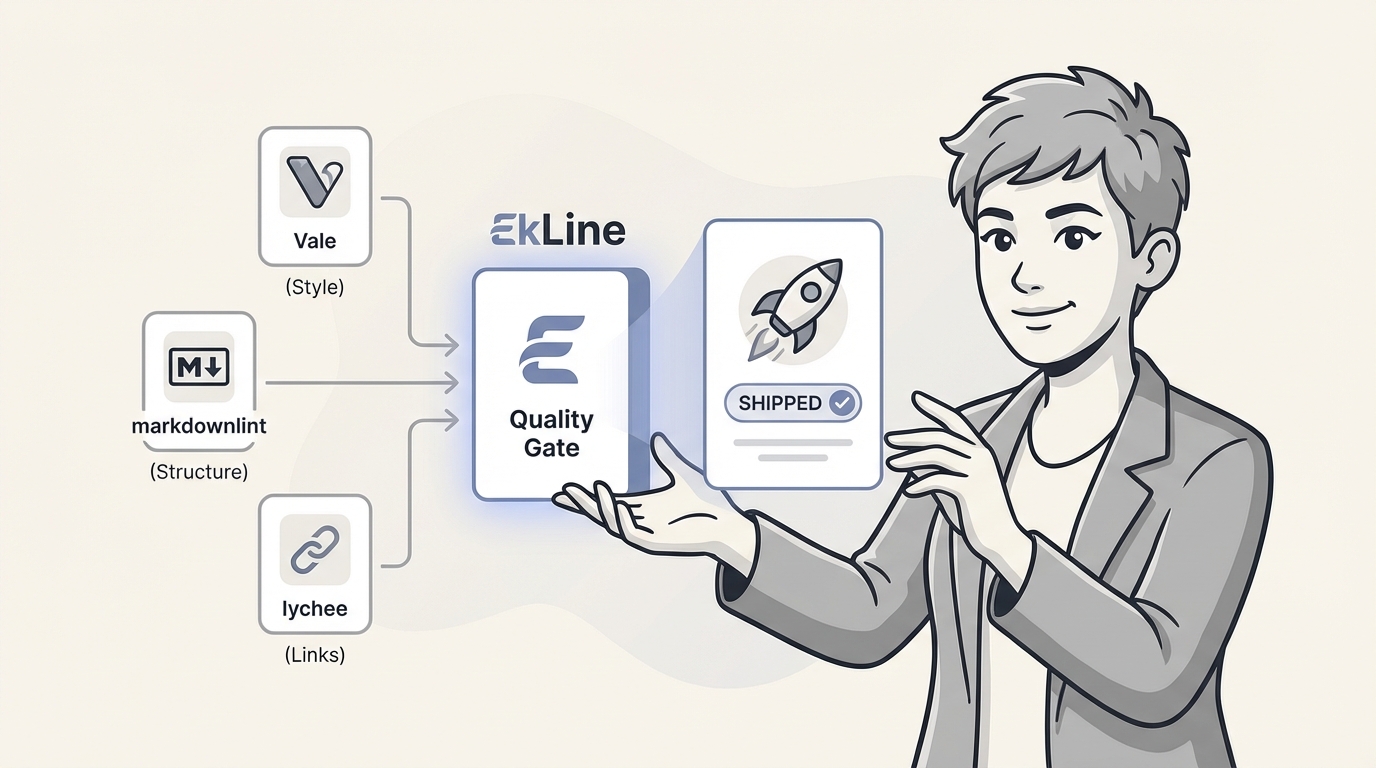
The "docs-as-code" idea was a significant development. We started treating documentation like software, pulling it into developer workflows and making CI/CD for docs a normal thing. And for a while, that was enough.
But that first wave of automation is starting to feel a bit dated. Relying on a mix of command-line linters isn't cutting it anymore, especially with how fast development moves today. Managing separate tools for style, structure, and links is just clunky and adds a lot of overhead.
This post is about what comes next. We're talking about moving past simple checks to a modern, AI-powered "documentation quality gate." This is basically an intelligent checkpoint in your pipeline that makes sure every piece of content is accurate, consistent, and clear before it gets to your users. Let's get into how you can build a quality gate that does more than just find errors: it helps your team ship better docs more quickly.
Automated doc quality started with some great, specialized, open-source command-line tools. They're good for enforcing specific, rule-based standards, but they're just the beginning of what a modern CI/CD pipeline can do.
Vale is a popular open-source prose linter that you run from the command line. Its main purpose is to check your text against a custom editorial style guide. It's less about general grammar and more about making sure your style is consistent, much like a code linter.
Limitations: The main thing to know about Vale is that it's completely rule-based and runs offline. This means you have to spend a lot of time upfront defining your custom styles with YAML and regular expressions, which can be complex. Since it's only matching patterns, it can't grasp the semantic context of your writing. It won't suggest better phrasing, help you write new content, or know if a sentence is technically wrong. It's a great spell-checker for your style guide, but it's a tool for writers, not a writing assistant.
A tool like markdownlint-cli is focused on one job: making sure your Markdown syntax and formatting are correct.
Limitations: Its focus is very narrow. It only cares about the structure and syntax of your Markdown files and has no idea what the words in those files actually mean. It can't offer any feedback on prose, style, or whether the technical information is correct.
Written in Rust, lychee is a fast link checker that scans your files to find broken internal and external links. It's really easy to add to a pipeline, especially with the lychee-action for GitHub.
Limitations: It does one thing very well: it checks a link's HTTP status code. But that's it. It can't tell you if a link is relevant to the content, suggest a better resource, or check for anything beyond a "200 OK" or "404 Not Found" response.
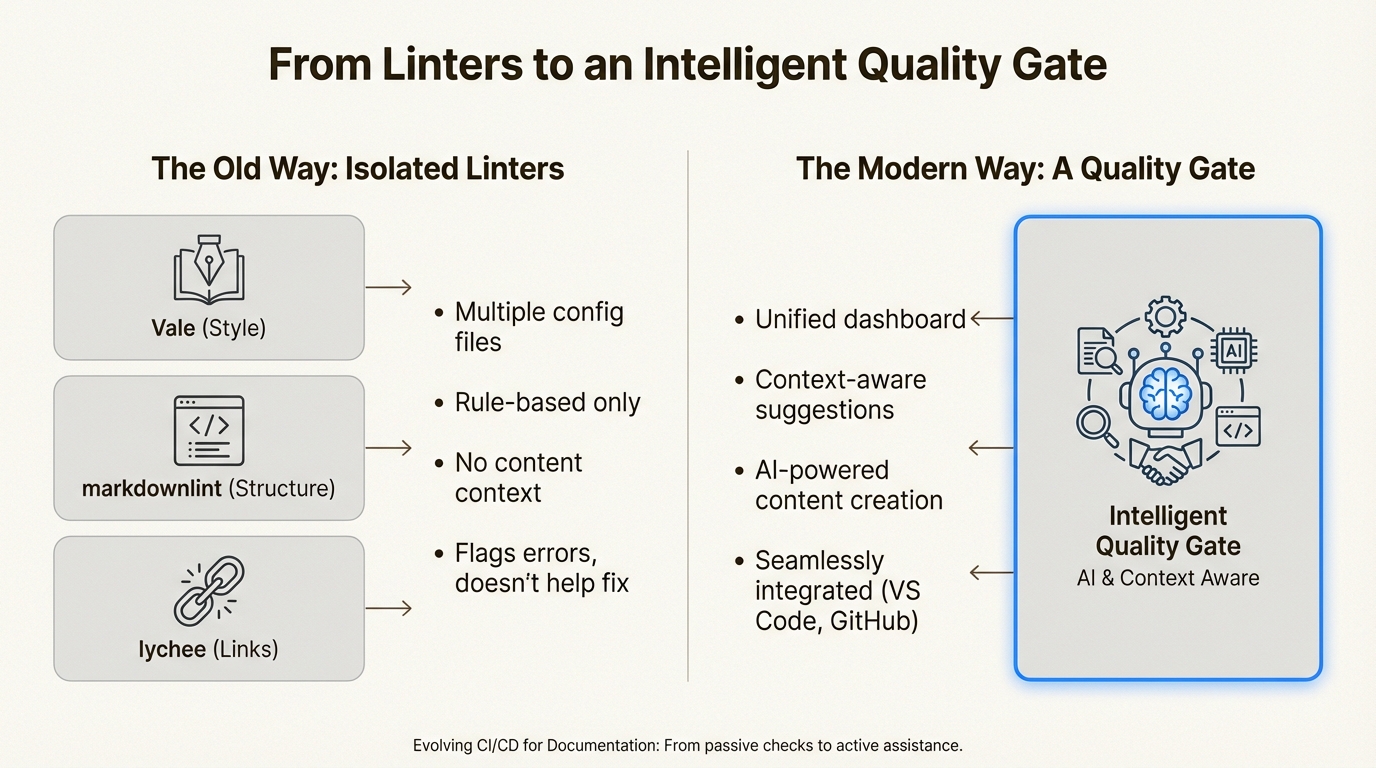
These tools are a great place to start, but they all work in isolation. You end up juggling a bunch of config files (.vale.ini, .markdownlint.jsonc, .lycheeignore), and none of them actually understand your content. They can flag a broken rule, but they can't help you figure out what to write instead.
A real quality gate for documentation needs to do more. It should be:
This shift turns a simple checkpoint into a collaborative tool that improves both the quality of your docs and the speed you can ship them.
Platforms like EkLine, Inc. are built to serve as modern, intelligent quality gates. These platforms go beyond simple, separate checks to cover the entire documentation process, with the goal of helping teams ship every release with confidence.
EkLine Docs Reviewer brings the functionality of tools like Vale, markdownlint, and lychee together into one platform.
Instead of managing multiple configuration files, Docs Reviewer provides a clean dashboard where you can manage all your rules. It comes with pre-built best practices for readability, inclusivity, and technical style, so you get value from day one without a lot of setup. It plugs right into your workflow, giving you real-time feedback in VS Code or as automated checks on your GitHub pull requests. This helps you catch issues long before they can slow down a release.
A limitation of traditional linters is that they can't help you write or update your content; they only point out what's wrong. This is where a tool like EkLine Docs Agent offers a different approach.
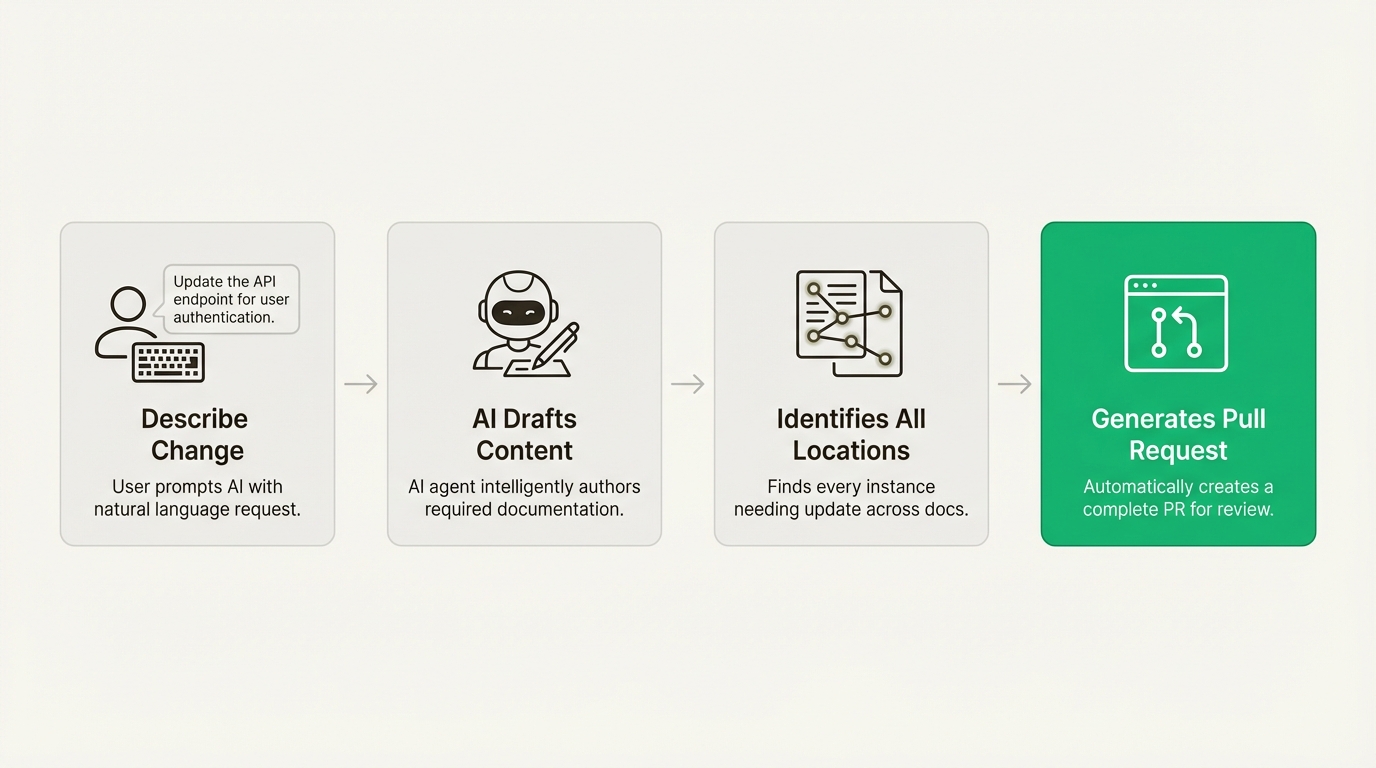
Docs Agent lets anyone on your team describe a needed change in plain English. The AI then drafts the content, finds all the places across your documentation that need updating, and can even generate a complete pull request for you. This can be a significant help for common tasks like updating API endpoints, documenting a new feature, or refactoring a guide for clarity. It changes the quality gate from a passive checker into an active, helpful contributor.
EkLine, Inc. offers plans tailored to different needs, so there’s a fit whether you’re an open-source project or a large enterprise.
Command-line tools like Vale, markdownlint, and lychee were essential for establishing docs-as-code, but what's needed today is something more integrated and intelligent.
Managing a toolchain of separate linters can create friction and slow down processes. A modern quality gate aims to do the opposite by bringing all your checks together, offering AI assistance, and putting feedback right where your developers and writers already work.
A real quality gate doesn't just stop bad docs from getting out. It helps your team ship great docs faster and with more confidence.
For teams who have expanded basic linting to its full potential, a platform that handles the entire documentation lifecycle may be the next step. Solutions like EkLine, Inc. aim to turn a CI/CD pipeline from a simple linter into a quality gate that assists with shipping documentation.
The main evolution is moving beyond a collection of separate, rule-based linters (like Vale for style or lychee for links) to a single, unified, and intelligent quality gate. Instead of just flagging errors, this modern approach uses AI to understand context, provide writing assistance, and integrate seamlessly into developer workflows.
Platforms like EkLine improve on the traditional linter-based approach by unifying all checks (style, structure, links) into one platform and adding AI intelligence. Its Docs Agent can draft content and suggest updates based on plain-English descriptions, turning the quality gate from a passive checker into an active contributor that [helps teams write and update docs](https://docs.ekline.io/reviewer/quickstart/).
A great first step is to start with simple, open-source command-line tools like `markdownlint` for structure and `lychee` for broken links. These can be [integrated into your CI/CD pipeline](https://docs.github.com/en) (like GitHub Actions) to automate basic checks and build a foundation before moving to a more comprehensive quality gate.
Yes, absolutely. Modern platforms like EkLine are designed for this. While they come with pre-built best practices, you can customize them to enforce your company's specific style guide, terminology, and rules through an intuitive dashboard, rather than managing complex `.yml` configuration files.
The main limitations are that linters work in silos, require a lot of configuration and maintenance, and lack content awareness. They can tell you if you broke a rule (like using the wrong term), but they can't understand the meaning of your text, suggest better phrasing, or help you draft new content when your product changes.