
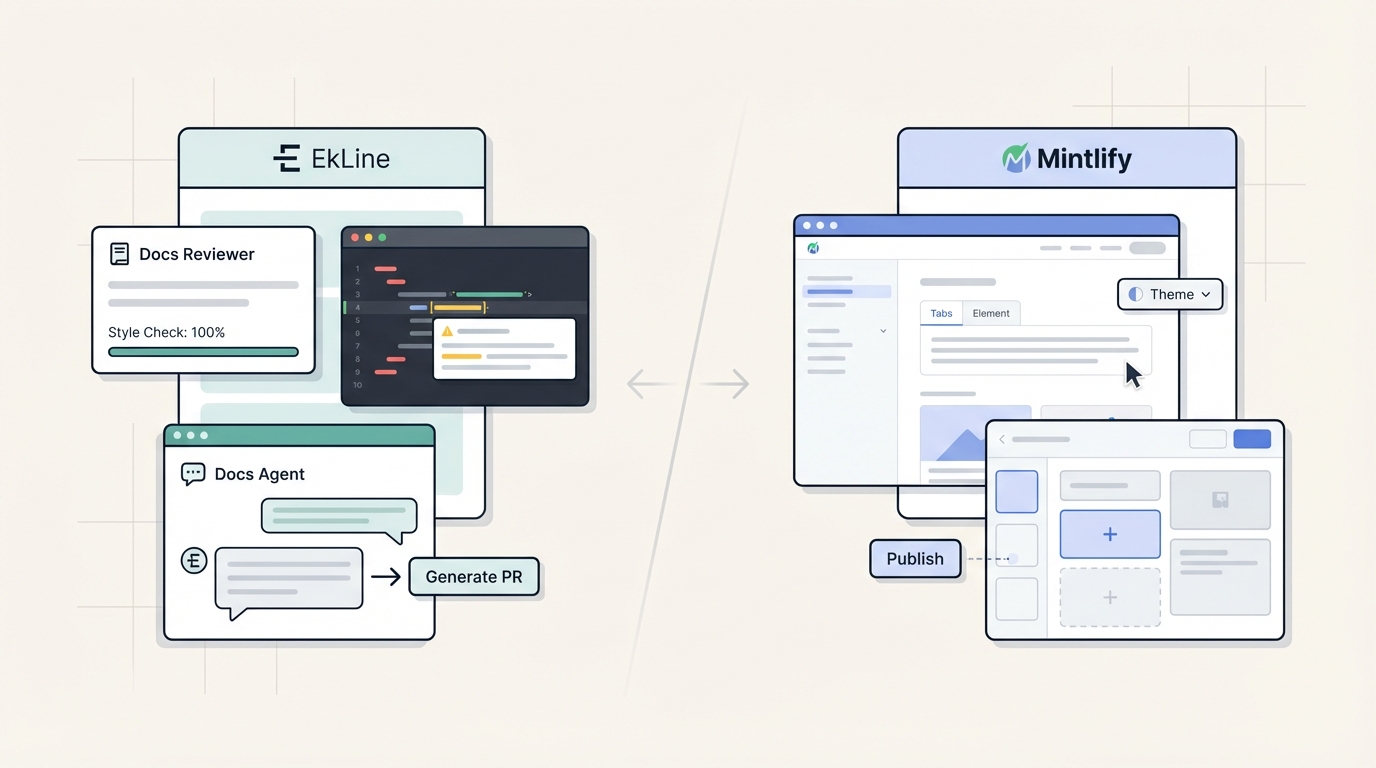
Both EkLine and Mintlify help teams create better documentation, but they solve different problems. Mintlify focuses on creating a polished front-end experience for readers. EkLine focuses on automating the documentation lifecycle—treating incorrect documentation as a bug that should be caught and fixed before publication.
Mintlify concentrates on the final product: the interactive website users see. Professional themes, MDX components, and AI-powered search create a polished reading experience.
EkLine concentrates on the process behind the scenes: automating quality checks, consistency rules, and updates that keep the final product trustworthy. It treats documentation errors like code bugs—they should be caught before they ship.
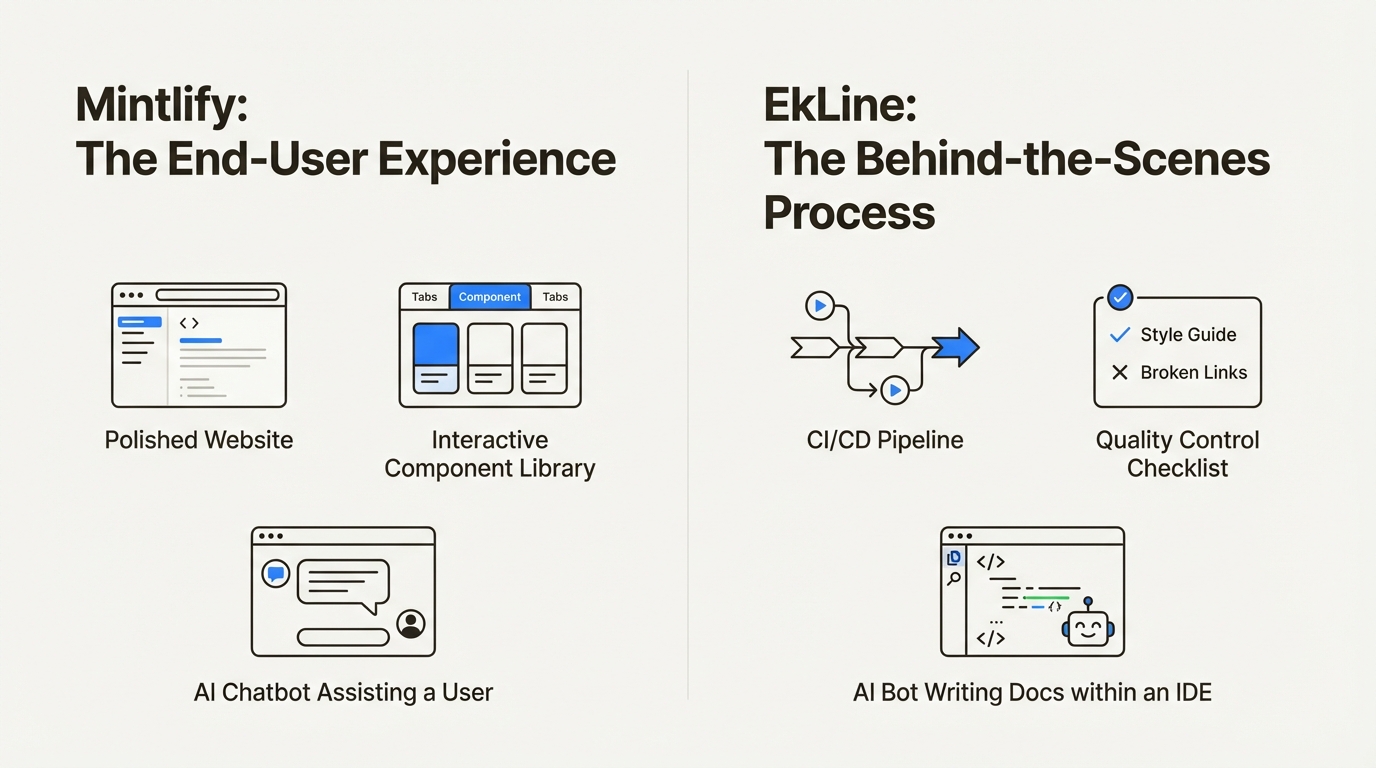
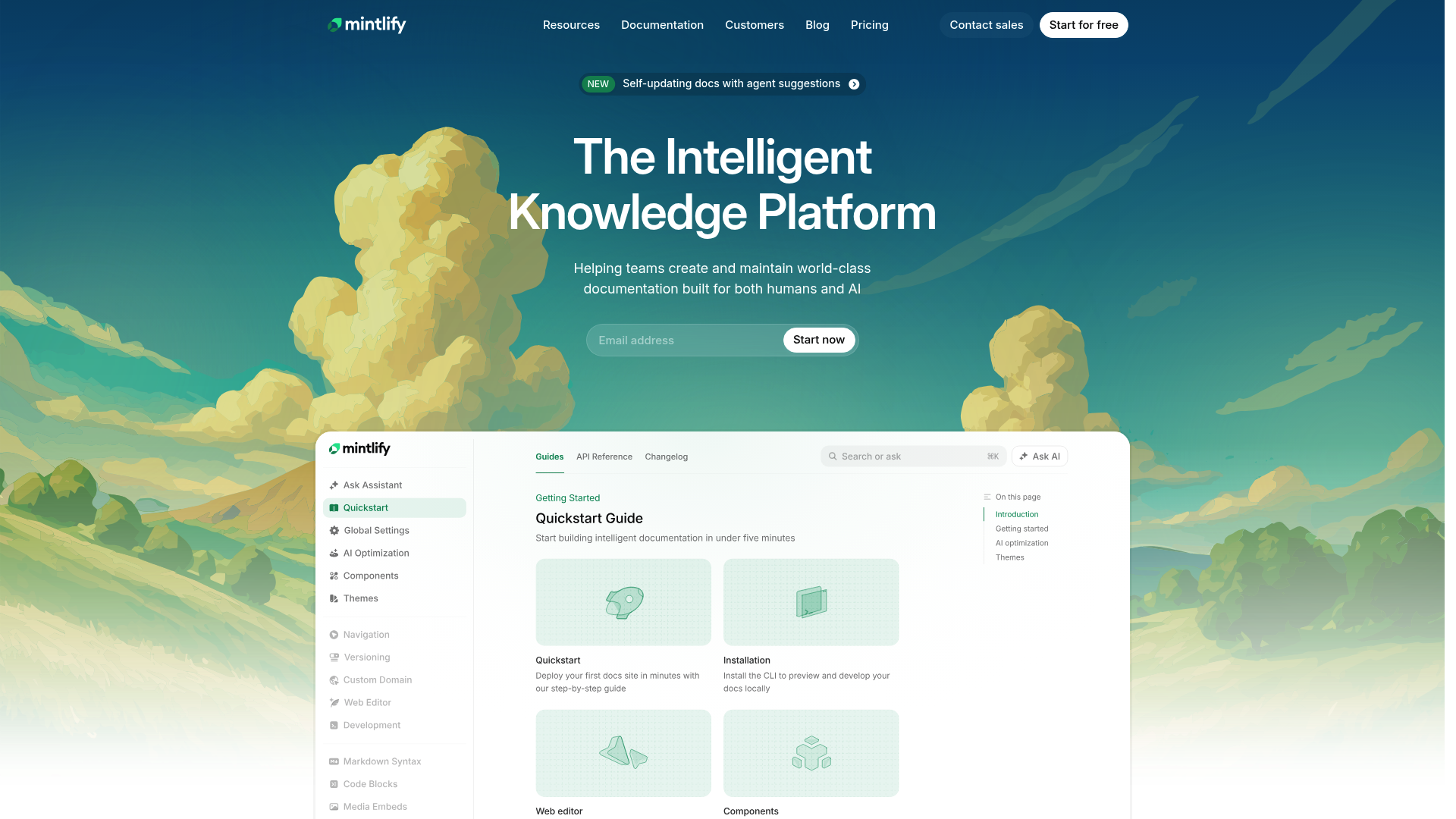
Mintlify is an intelligent knowledge platform built to help you create documentation that is readable for both humans and AI. Its strengths are in presentation and the end-user experience.
Here’s what makes it stand out:
EkLine is an AI-powered platform designed to automate your documentation reviews and updates by plugging directly into your existing developer workflows. Its goal is to ensure every piece of documentation is accurate, consistent, and high-quality before it’s published.
It does this with two main products:
EkLine’s philosophy is about catching issues early by integrating with the tools your team already uses, like VS Code and GitHub.
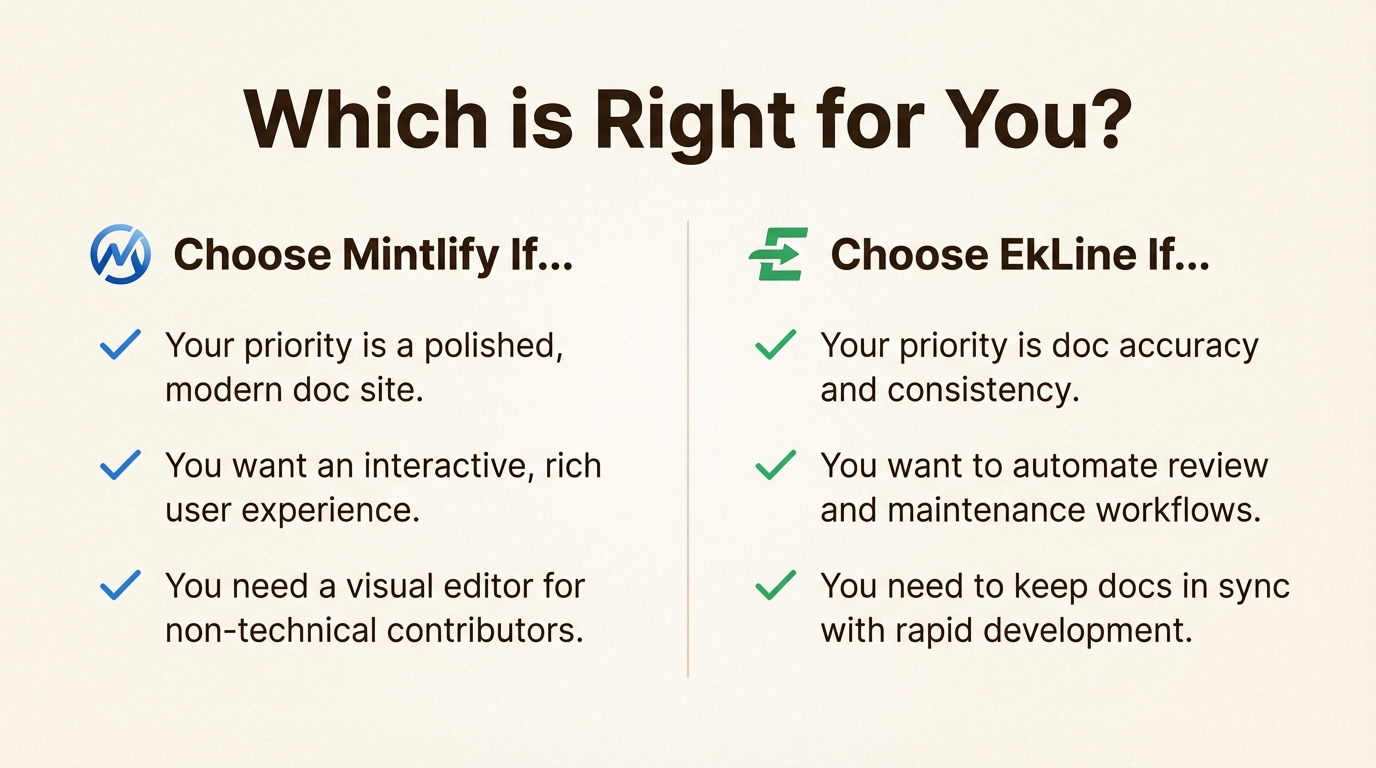
EkLine is the better choice when you:
1. Docs Reviewer — Automated quality gate that runs on every PR
2. Docs Agent — AI assistant for writers and developers
Mintlify is the better choice when you:
The authoring experience is a key factor in a tool's adoption. EkLine and Mintlify approach this from two different directions.
Mintlify provides tools for both manual and semi-automated content creation. For engineers, the Git-based workflow is familiar. For product managers or writers, the visual editor lowers the barrier to entry, so anyone can make changes.
A key feature for authors is Mintlify's extensive library of MDX components. These building blocks let you create visually engaging pages with interactive elements without needing advanced front-end skills. It makes your documentation feel less like a wall of text and more like an interactive application.
When it comes to API docs, its ability to autogenerate endpoint files from an OpenAPI spec is a significant feature. It handles the repetitive, structured parts of API reference docs, freeing up your team to focus on writing clear explanations and examples. For paid plans, there is also a "Writing agent" that can help authors inside the platform.
EkLine's approach focuses on AI-assisted drafting. Its approach is proactive and AI-assisted, starting before you have a blank page.
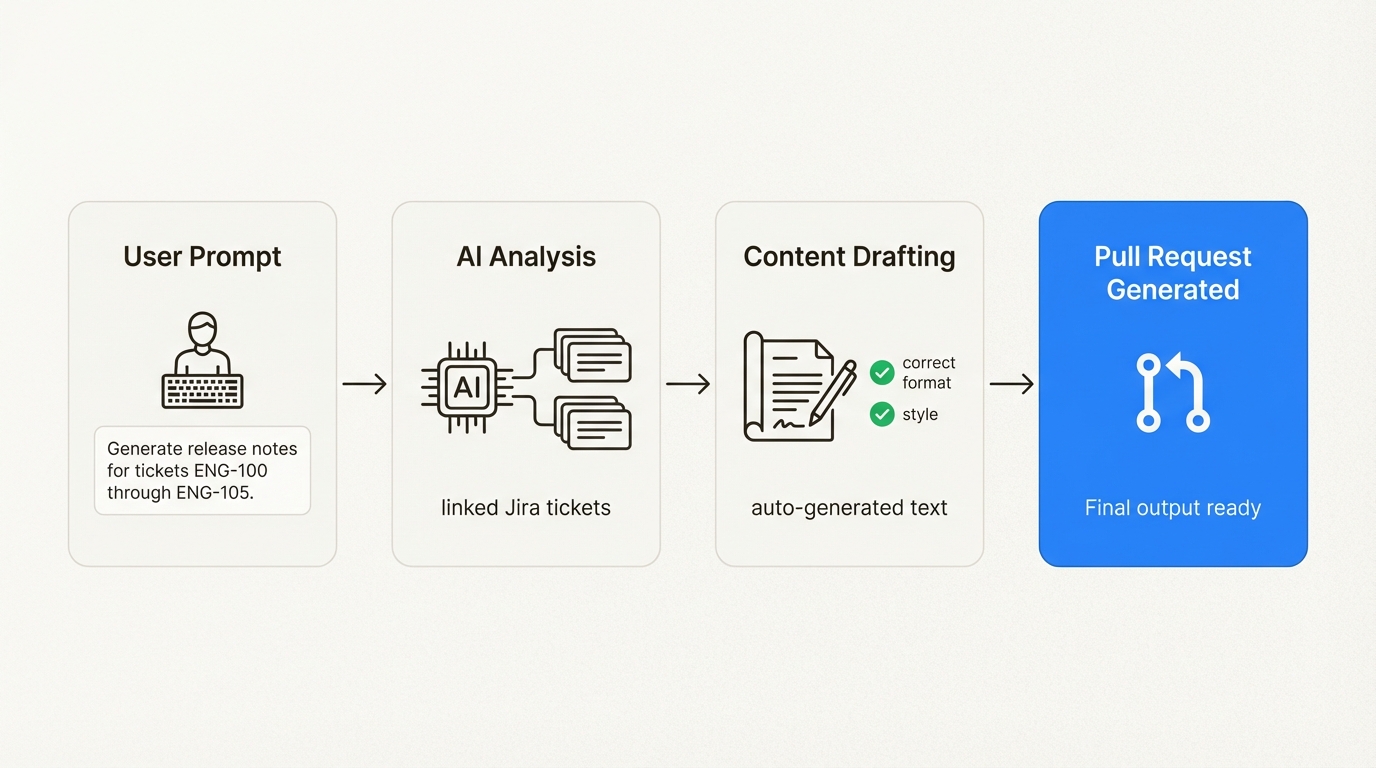
This is where Docs Agent comes in. It can do much of the initial drafting for you. You can give it natural language prompts to generate entire guides, update feature descriptions, or document a new API endpoint from scratch.
For example, a product manager can tell the agent, "Generate release notes for tickets ENG-100 through ENG-105" and Docs Agent will analyze the linked tasks, understand the changes, and draft the content in the correct format, tone, and style. This reduces the cognitive load on your team, allowing them to shift their focus from drafting to ensuring strategic accuracy and clarity.
High-quality documentation is the foundation of trust with your users. Let's see how each platform helps you maintain that quality as your product and team grow.
Mintlify's themes provide a consistent presentation quality. On its paid plans, it also includes automated grammar and spelling checks, which helps catch common errors.
Enforcing deeper consistency, like ensuring a feature is always called "User Profile" instead of "Account Settings," or making sure every guide follows a specific structure, is typically handled manually. This relies on the peer review process, requiring reviewers to be familiar with the style guide.
EkLine is designed as an automated quality gate for your documentation, taking the manual guesswork out of the review process.
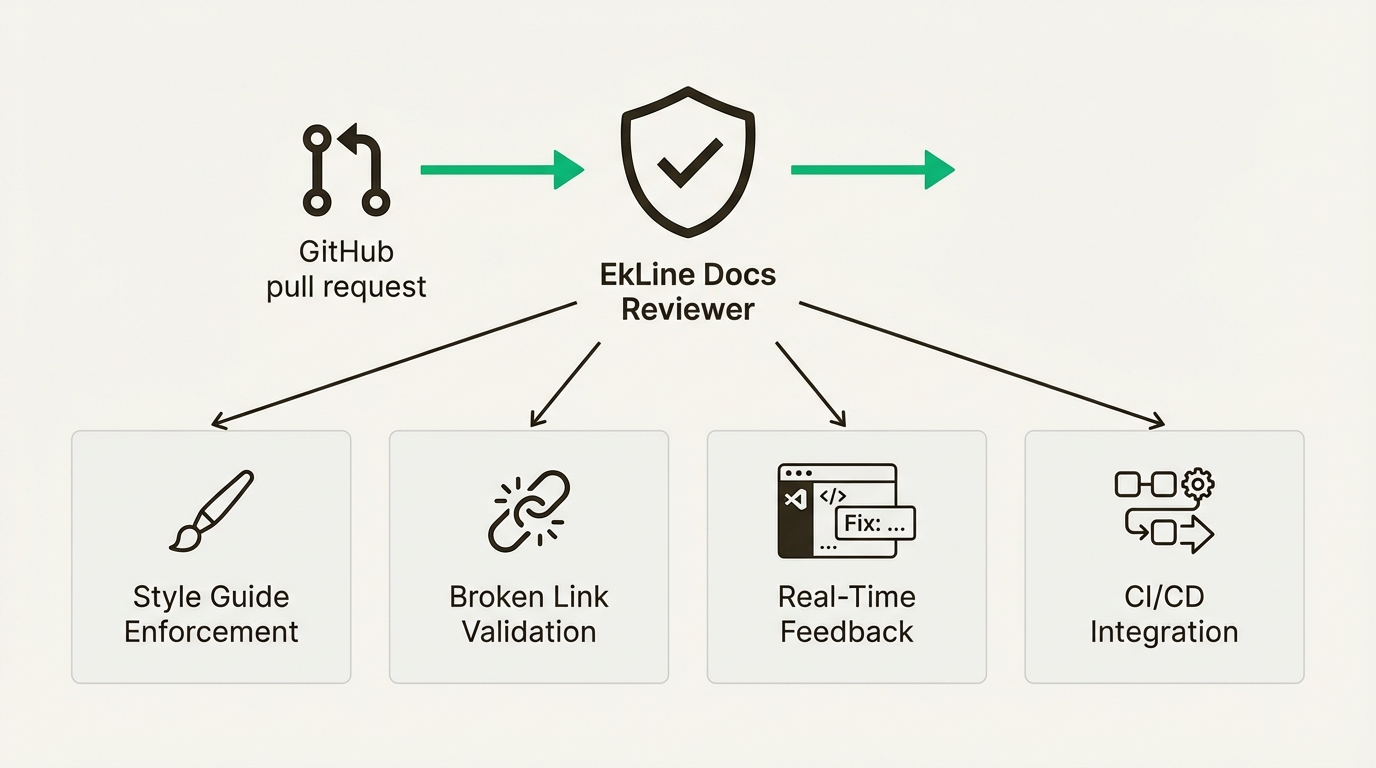
Docs Reviewer handles this with a suite of automated checks:
This is where the tools diverge most significantly. Here's what it takes to update a feature description that appears across multiple guides:
With EkLine, an engineer doesn't have to hunt down files or worry about phrasing. They can tell Docs Agent: "The user invitation flow changed—update the onboarding guide to reflect the new three-step process." The agent finds the documents, drafts the updates, and creates the PR.
EkLine ships with pre-configured rules for active voice, readability, and inclusive language. You can customize it to enforce your company's unique terminology—like ensuring a feature is always called "User Profile" instead of "Account Settings."
Key pricing difference: EkLine uses per-user pricing ($50/user), which can be more flexible for smaller teams. Mintlify uses team-based pricing ($250/month for the team).
For a 3-person team: EkLine Standard = $150/month, Mintlify Pro = $250/month
For a 10-person team: EkLine Standard = $500/month, Mintlify Pro = $250/month + extra seats
Yes. They solve different problems and work well together:
This gives you: EkLine's quality automation + Mintlify's beautiful presentation.
Which tool you should choose comes down to your primary documentation challenge.
Mintlify is a suitable choice for publishing modern and user-friendly documentation. Its authoring experience is well-regarded, its themes are professionally designed, and its AI assistant for readers is a notable feature for improving user self-service.
EkLine is a platform for automating the entire lifecycle of your documentation. It focuses on making sure your content is accurate, consistent, and easy to maintain over the long haul with less manual effort.
The right choice depends on your primary pain point:
For teams looking to streamline their workflow by reducing outdated content and manual consistency checks, automation tools can be beneficial. EkLine is built to automate the documentation process, helping to turn it into a more reliable asset.
Teams interested in exploring these automation features can learn more about Docs Agent and Docs Reviewer on the EkLine website, which offers a free 30-day trial of EkLine to test the platform's capabilities.
The main difference is their focus. Mintlify's focus is on the front-end presentation and a [good reading experience](https://dev.to/daisyauma/-why-i-chose-mintlify-and-what-i-wish-i-knew-earlier-1b2l). EkLine concentrates on back-end automation, ensuring documentation quality, consistency, and maintenance throughout its entire lifecycle.
Mintlify is suitable for teams prioritizing a quick launch of a modern documentation site. EkLine is designed for teams whose main challenge is maintaining accuracy and synchronization with a fast-changing product.
Mintlify's pricing is team-based, with a Pro plan starting at $250/month. EkLine uses a more flexible per-user model, with its Standard plan at $50/user/month. Both offer free tiers for smaller projects or open-source use.
Both platforms handle API documentation. Mintlify can automatically generate [API documentation](https://www.mintlify.com/docs/api-playground/openapi-setup) from an OpenAPI specification. EkLine's Docs Agent can also generate API docs from prompts and helps ensure that all related content stays updated and consistent with your style guide.
Yes, both platforms provide ways for non-technical team members to contribute. Mintlify has an [intuitive visual web editor](https://www.mintlify.com/blog/top-gitbook-alternatives-for-api-documentation-in-2025). EkLine allows anyone to request documentation updates using simple natural language prompts, which its Docs Agent then uses to draft the content for review.
A key feature of EkLine is its proactive, AI-powered maintenance. The Docs Agent can identify every file that needs an update after a product change and draft the new content automatically. This reduces the manual work needed to prevent docs from becoming outdated, a process that remains largely manual in Mintlify for non-API content.