
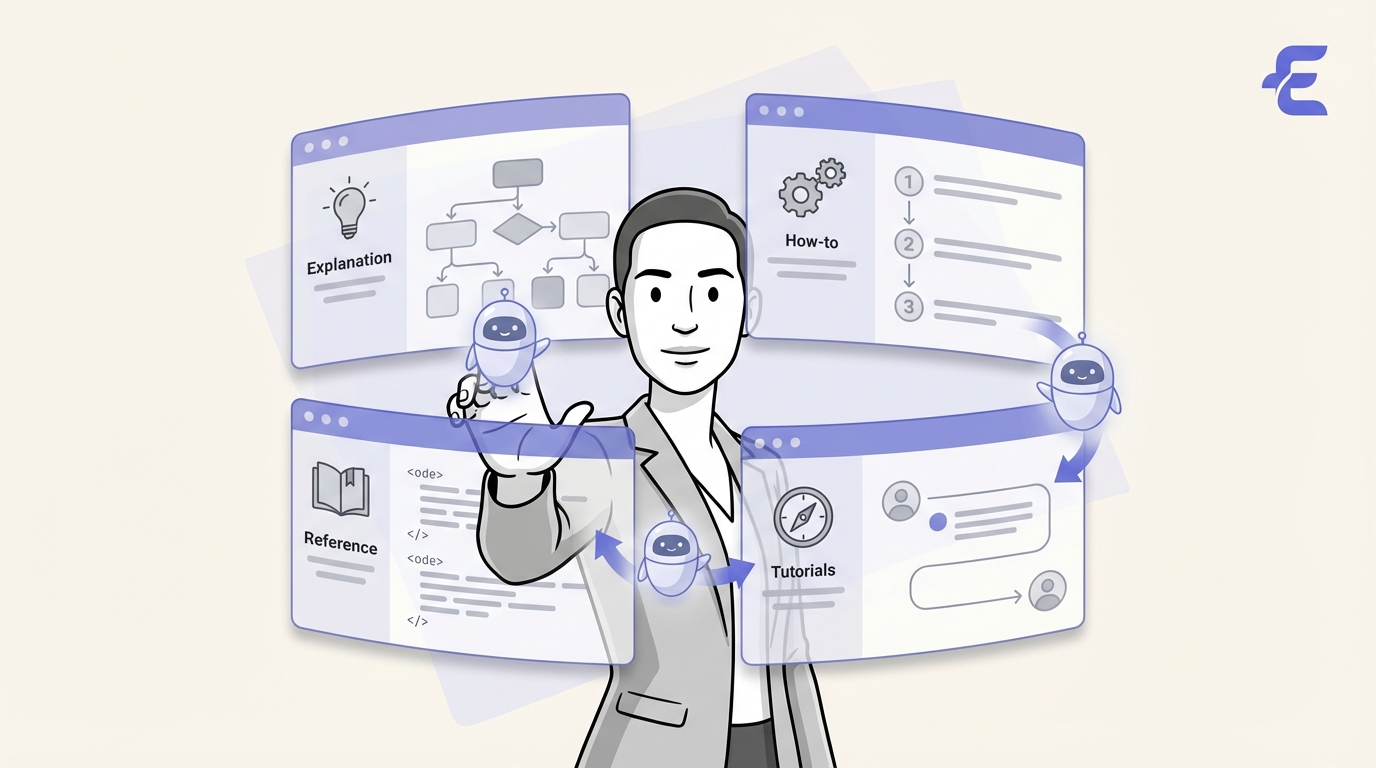
The central challenge in technical documentation isn't just creating content, but managing its scale and velocity. As products evolve rapidly, documentation must serve a wide spectrum of users, from novices to experts. Simply producing more articles isn't the answer; the architecture of that content determines its usefulness. Without a coherent structure, documentation becomes a maze of disconnected pages, which frustrates users and undermines trust in the product.
To address this architectural problem, many teams are turning to the Diátaxis framework. It's a systematic way to author documentation by organizing content based on user intent, moving beyond simple topic lists to provide a clear, logical structure. Its practical approach has led to its adoption by major open-source projects, like the Python documentation community, and companies like Canonical, who use it to organize their complex documentation.
This article offers a technical overview of the Diátaxis framework and its four content quadrants. We'll also cover how AI-powered tooling can be used to streamline its adoption and ensure its principles are maintained as your documentation scales.
Diátaxis is a structured methodology for technical documentation developed by Daniele Procida. It's more of a "way of thinking" about documentation architecture than a rigid, tool-dependent standard like DITA XML. Its power comes from its focus on the user's immediate need, providing a system to ensure every piece of content has a clear purpose for a specific audience.
The framework's creator, Daniele Procida, described its origin as a solution to the practical challenges of organizing documentation for Django CMS:
The team realized that traditional, topic-based structures were arbitrary and didn't serve users well. A list of features doesn't show someone how to solve a problem, nor does it guide a new user through their first steps. Diátaxis was created to fix this disconnect.
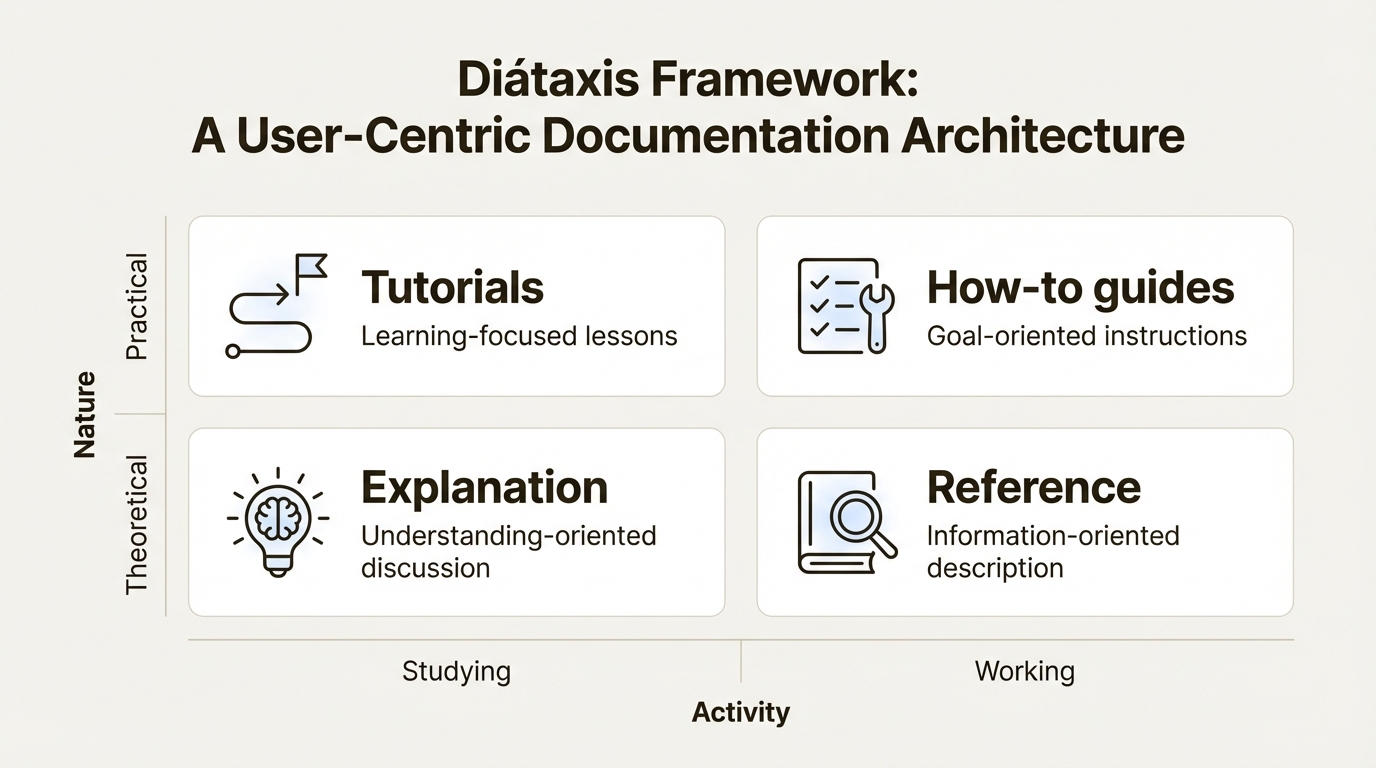
Its core principle is organizing all content into four distinct types, each matching a different user need and context. This user-centric method ensures content is fit for purpose. Whether a user is studying a concept to build knowledge or actively working to solve a problem, the framework points them to the right type of documentation. Because it's a set of principles, the framework is tool-agnostic and can be applied to any system, from Markdown files in a Git repo to a complex CCMS. For a full breakdown of its principles, the official website is the definitive source.
The four documentation types are the pillars of the Diátaxis framework. They are categorized along two axes: one for the user's activity (studying vs. working) and the other for the content's nature (practical vs. theoretical). This results in four clear quadrants, each serving a unique function in a complete documentation suite, as illustrated below.
Tutorials are learning-focused lessons designed to guide a beginner. Their main goal isn't to show off a product feature but to help a user build foundational skills and confidence. As the framework puts it, a tutorial is like a driving lesson. The instructor's job is to get the learner driving successfully, not to explain the mechanics of an internal combustion engine during the lesson.
Key Characteristics:
A 'Quickstart' guide is a classic example that walks a new user through setting up a project and making their first API call. As detailed in this real-world application, a well-designed tutorial is the most effective entry point for a new user, turning initial interest into practical skill.
While tutorials are for beginners, how-to guides are goal-oriented "recipes" that give a competent user the steps to solve a specific, real-world problem. The user of a how-to guide isn't learning from scratch; they are working and need a solution to an immediate challenge.
Key Characteristics:
A perfect example is a guide titled "How to configure a custom domain for your application." This title assumes the user already has a running application, knows what a domain is, and has the necessary credentials. The guide's only job is to provide the exact steps to complete that configuration.
Moving from the practical, action-oriented quadrants, we now turn to the more theoretical types of documentation. Reference and explanation content are the foundation upon which deep product knowledge is built. They are essential for users who want to move beyond basic competence to achieve mastery.
Reference documentation consists of technical descriptions of the system and its components. Its only purpose is to be a source of information, not instruction. Think of it as a dictionary or a map; its value lies in its accuracy, completeness, and structure, which allows for efficient information retrieval.
Key Characteristics:
The most common example is API documentation that details all available endpoints, parameters, expected return values, and possible error codes. A well-structured API reference allows a developer to find the exact information they need to make a successful API call without ambiguity.
Explanation content is understanding-oriented material that illuminates a topic by providing background, context, and clarifying complex concepts. It's the documentation that answers the "why" questions, filling the gaps between practical steps and technical facts.
Key Characteristics:
An article explaining the consensus algorithm in a distributed system, or one detailing the security model of an authentication protocol, are perfect examples. This content provides the conceptual scaffolding that empowers users to use a product more effectively.
The theory of the Diátaxis framework is solid, but the practical challenge is implementing and maintaining it at scale. While the framework provides a powerful structure, its purity is difficult to preserve through manual effort alone, especially in fast-moving development environments with many contributors.
AI-powered tooling offers a modern solution to these challenges. An AI can be trained to understand the distinct patterns of each Diátaxis quadrant, enabling automation that was previously impossible. This is where the synergy between the Diataxis framework and a Docs Agent becomes a key component for scaling high-quality documentation.
For content creation, an AI assistant like EkLine's Docs Agent is designed for this exact use case. It can parse natural language prompts (e.g., "draft a how-to guide for setting up webhooks using our v2 API") or analyze code changes from a commit and generate a structured first draft. This draft is not only grammatically correct but is also aligned with the correct Diátaxis quadrant and adheres to the project's style guide, reducing the initial authoring effort.
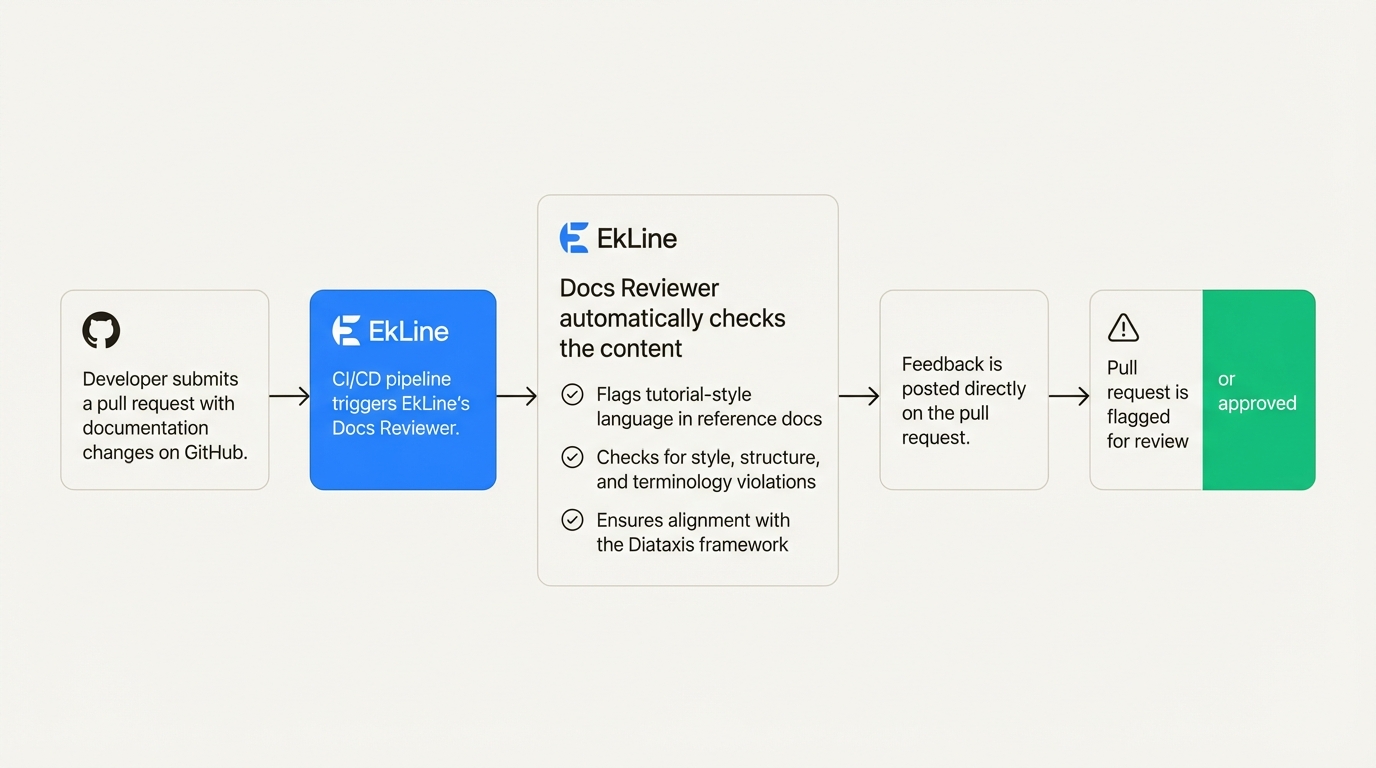
For content maintenance, EkLine’s Docs Reviewer complements this by preventing content drift automatically. By integrating directly into CI/CD pipelines and version control systems like GitHub, it acts as an automated guardian of documentation quality. It continuously monitors all contributions to ensure they comply with the established framework.
For a technical example, consider a developer submitting a pull request to update an API reference document. The Docs Reviewer can be configured to automatically flag the pull request if it detects tutorial-style language (e.g., "First, you will need to...") within a file designated as reference material. This ensures the reference documentation remains terse and factual. The reviewer automates checks for a wide range of issues, including:
The core value of the Diátaxis framework is its ability to impose a user-centric mindset on documentation architecture. By organizing content around specific user needs, it creates a system that is logical, predictable, and ultimately more useful than a simple list of topics.
The four quadrants provide a comprehensive model for any documentation suite: tutorials for practical learning, how-to guides for practical problem-solving, reference for retrieving technical facts, and explanation for building deep understanding. Together, they guide a user from their first interaction to full mastery.
However, the framework's true potential is only realized when its structure is maintained with discipline. While this starts with clear team guidelines, maintaining it at scale requires powerful automation. Tools like EkLine, Inc. provide the necessary enforcement and generation capabilities, ensuring every contribution enhances the documentation's quality and adheres to the framework without creating a maintenance bottleneck.
Keeping your documentation perfectly aligned with a framework like Diátaxis is a significant operational task. EkLine's Docs Reviewer automates style and structure enforcement in every pull request, ensuring your content stays true to its purpose.
Ready to create framework-compliant content faster? The EkLine Docs Agent can generate drafts for tutorials, how-to guides, and more from a simple prompt. See how EkLine can help you implement and maintain the Diátaxis framework effortlessly.
It can generate structured first drafts of tutorials, how-to guides, or reference docs based on natural language prompts or code changes. This aligns the content with the correct quadrant from the start, saving significant authoring time.
It automates the enforcement of the framework's principles by flagging content drift in pull requests. For example, it can prevent instructional language from appearing in reference docs, ensuring each content type remains pure and fit for its purpose.
While its primary function is to assist in creating new content and reviewing contributions, an advanced Docs Agent like EkLine's can analyze existing documentation to suggest re-categorization or identify content that mixes different types, helping with an initial audit.
Tools like EkLine's Docs Agent and Docs Reviewer are [designed for easy integration](https://docs.ekline.io/). They can be added as a check in your CI/CD pipeline (e.g., GitHub Actions) to automatically review documentation changes in every pull request, acting as a quality gate.
A Docs Agent can enforce a wide range of rules, from simple checks like active voice and sentence length to more complex ones like maintaining a consistent technical lexicon, validating heading hierarchies, and finding broken links.
It provides real-time feedback and automated suggestions directly in the development environment. This empowers contributors like engineers, who may not be documentation experts, to submit content that already adheres to the Diataxis structure and your company's style guide.